A complete beginner-friendly guide to designing stunning WordPress websites with ease.
💡 Why WordPress?
WordPress powers over 43% of all websites globally. Its popularity comes from being:
Beginner-friendly
Highly customizable
SEO-optimized
Mobile-responsive
Free & open-source
With the right tools and guidance, anyone — even with zero coding knowledge — can build a professional-looking website using WordPress.
Unmatched Ease of Use & Content Management
🧩 Step 1: Choosing the Right Hosting & Domain
To start, you’ll need:
A domain name (e.g., yourbusiness.com)
A WordPress-friendly hosting provider like Bluehost, Hostinger, or SiteGround.
Most of these hosts offer 1-click WordPress installation, making setup quick and easy.
🎨 Step 2: Selecting a WordPress Theme
Your theme decides the look and feel of your website. Popular free themes:
Astra – Fast & versatile
OceanWP – Feature-rich
Neve – Clean and lightweight
Choose a theme that suits your industry and offers mobile responsiveness, customization options, and plugin compatibility.
🛠 Step 3: Installing Essential Plugins
Plugins extend the functionality of your site. Here are must-have ones:
Purpose
Plugin
SEO
Rank Math / Yoast SEO
Page Builder
Elementor / WPBakery
Forms
WPForms / Contact Form 7
Speed
WP Rocket / LiteSpeed Cache
Security
Wordfence / iThemes Security
Tip: Don’t install too many plugins. Only keep what you need to avoid slowing down your site.
🧱 Step 4: Building Pages with Drag-and-Drop
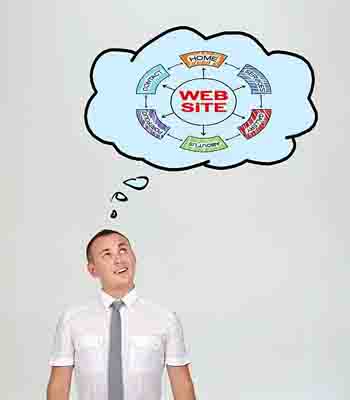
Use a page builder like Elementor to visually design your pages. Common sections to include:
Home
About
Services
Portfolio
Blog
Contact
Elementor allows you to drag and drop elements like text blocks, images, sliders, forms, and more — with no coding required.
🌐 Step 5: Optimize for Mobile & Speed
A slow or broken mobile site turns visitors away. Here’s how to avoid that:
Use responsive design themes
Compress images using plugins like Smush
Minify CSS & JS
Use a CDN and caching plugins
🧭 Step 6: Add Final Touches Before Launch
Setup basic SEO with meta titles, descriptions, and keywords
Test contact forms and links
Connect to Google Analytics and Search Console
Create a backup schedule
🚀 Bonus Tips for Success
✅ Use consistent colors and typography ✅ Add clear CTAs (Call-to-Actions) ✅ Keep content scannable and readable ✅ Add social proof like testimonials and reviews ✅ Update your site regularly
📌 Final Thoughts
WordPress makes web design accessible to everyone. With the right steps, tools, and creativity, you can build a site that’s not only visually stunning but also powerful and performance-ready.
Don’t wait. Start designing your dream website today — the WordPress way!